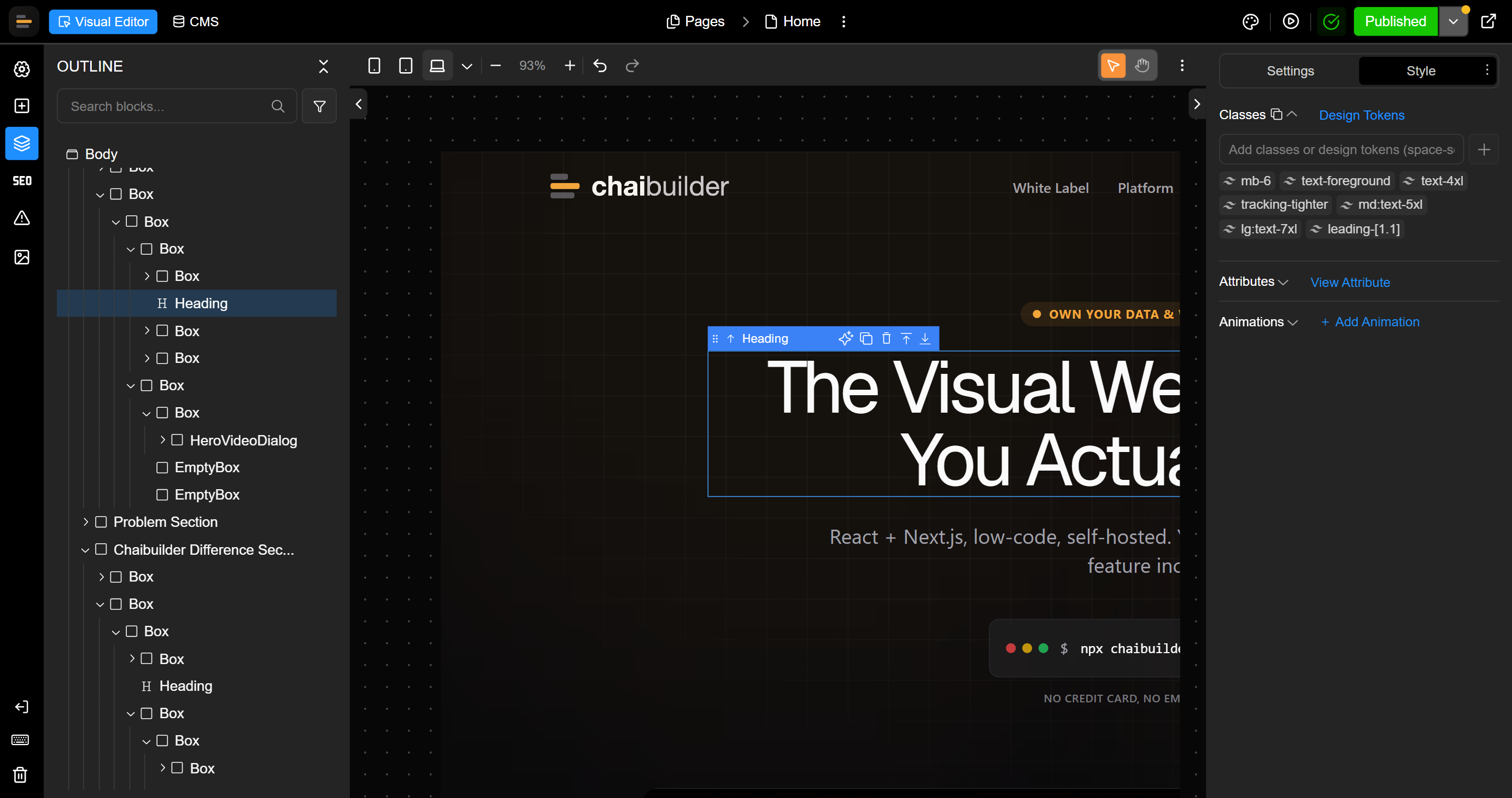
Everything you need to build and run a site. In every license.

For agents and humans: a visual builder for editors, an extensible platform for developers, a built-in MCP server for your AI agents, and an AI assistant inside the builder - with no feature flags to buy up to.

For platforms and agencies running many sites. Building one or two? The open-source core is free.

See how agents connect
chai-ai-hero-image.png
Canvas
Blocks Panel
AI is editing (MCP agent)
For agents and humans

People and AI agents, on sites you own

People build and publish visually. AI agents in Claude, Cursor or VS Code work through the built-in MCP server. Same pages, same permissions, same drafts, on your own infrastructure.

yoursite.com/admin/pages
M
PagesVisual builder
3 pages
  • Home M Maya is editing
  • Pricing AI is editing
  • Features Published
Recent revisions
  1. Pricing: German draftby agent, 2 min ago
  2. Home: new hero copyby Maya, 14 min ago
  3. Features: publishedby Maya, 1 hr ago
Your AI agentClaude, Cursor or VS Code
MCP connected

Translate the pricing page into German and show me a preview

get_block_translationsupdate_block_translations

The German translation is saved as a draft. Nothing is live yet.

Preview: Pricing (German)

Want me to publish it?

Humans build visually

Editors build and publish pages in the visual builder, with an AI assistant beside them. Developers extend it in code with custom blocks and panels.

Agents work through MCP

Connect Claude, Cursor, VS Code or any MCP client. The agent finds, edits, translates and publishes pages as the person whose key it holds, with exactly their permissions.

Same rules, no collisions

Agent edits land in a draft with a preview link, and the agent asks before it publishes. The builder shows when AI is editing, agents never overwrite a page someone has open, and revisions mark every agent edit.

Owned by you

The builder, the MCP server and your content run on your own deployment and database. Agents use the AI tool you already pay for: no AI credits, and MCP is in every Platform license.

33 built-in MCP tools for pages, blocks, SEO, translations, publishing, revisions, images and redirects. Developers can add their own.

02

Building & editing

The core creation features, designed for both editors and developers. Everything you need to build, extend, and style pages without leaving the visual surface.

Visual builder

The core surface for building pages visually. Content changes never need a deploy.

Custom blocks

Developers add blocks for functionality beyond the built-ins; they surface natively inside the builder for editors to use.

Extensible builder UI

Extend the builder interface itself with custom panels and controls.

Design tokens

Reusable design tokens for consistent styling across the site (built on Tailwind CSS).

Theme system

Themeable presentation across the whole site, so a re-skin isn't a rebuild.

Data binding

Bind content and data into page elements.

03

Content & media

Content operations are covered end to end, from multilingual publishing to media management and external CMS connectivity.

Multilingual

Build and manage content in multiple languages.

Media manager

Organize images and other media assets in one place.

Image editor

Edit images without leaving the builder.

Connect external CMS

Payload CMS ships out of the box and is fully swappable for any CMS you prefer.

04

Collaboration & workflow

Teams can work in parallel, safely.

Multi-user editing

Multiple editors work at once; page locking prevents conflicts.

One-click publish

Push changes live in a single action.

Preview mode

Review unpublished changes before they go live, built on Next.js draft mode.

Revisions & restore

Full page history with restore to any previous version - no edit is a one-way door.

AI assistant

Edit by chat.
No coding required.

An in-builder chat panel that edits content, creates and edits sections, and helps with SEO and theming, all in plain language.

Bring your own AIVercel AI Gateway or OpenRouter out of the box
A sophisticated AI-powered website builder interface showing real-time visual editing and a chat assistant panelChaibuilder AI Generation - Assistant and Panel
05

Access & platform

The platform-level features that make the rest safe to hand to a team.

Role-based access control (RBAC)

Configure roles and permissions for editors and teams, so the right people edit the right things.

Full feature set, no tiers

Every Platform license unlocks everything. The price follows your scale, never the features.

Ownership by design

Own everything you build

Hosted builders rent you a website on their platform. ChaiBuilder runs inside your own app, so the data, the servers and the full feature set stay with you.

01

Own your data

Bring your own database: SQLite or Postgres. All website content, registered users and actions live in your database. ChaiBuilder has no access to any of it.

ChaiBuilder: your content is stored in your own database
02

Own your infrastructure

ChaiBuilder is delivered as code you deploy on your own stack. You host it, you run it. There is no vendor-hosted runtime for your site.

ChaiBuilder: deployed on your own infrastructure
03

No feature tiers

A Platform license unlocks the entire product, the MCP server included. No feature flags, no per-seat pricing, nothing to upgrade into.

ChaiBuilder: every feature included in every license

Ownership isn't a plan tier or an add-on here. It's the architecture.

Pricing

Two ways to run ChaiBuilder.

Open source

FreeBSD-3-Clause license

The chaicore visual builder for your Next.js app. For individuals, teams and single agencies.

  • Visual builder, page storage and rendering
  • Build sites for yourself or your clients
  • Self-host it anywhere
Start with open source

Platform

For many sites
One yearly licenseunlimited sites

chaipro for agencies and platforms that run many websites, plus build services to get you live. One fee for your whole platform, quoted to your scale. No per-site fees.

  • Multi-tenancy, with your brand inside the builder
  • The MCP server for AI agents, included
  • Roles, revisions, multilingual and every other feature
  • Build services: integration, custom blocks, migration, rollout
Book a demo

Delivered as a White Label Solution (multi-tenant, managed or self-hosted) or a Custom Integration (embedded in your own app). Pricing is quoted on the call.

Every Platform deployment includes the entire feature set and the MCP server. One yearly license for your whole platform: no per-site fees, no per-seat pricing, no AI credits, no feature tiers.

Developers can evaluate chaipro with a 30-day trial from the get-started page. No credit card, no email.

FAQ

Frequently asked questions

How is ChaiBuilder licensed?

Two ways. The open-source core, chaicore, is free under the BSD-3-Clause license. The Platform license, chaipro for agencies and platforms running many sites, is one yearly fee for your whole platform, unlimited sites, plus build services. No per-site fees. There is no public pricing; we quote it to your scale on the demo call.

Can our developers try it first?

Yes. chaipro has a 30-day trial with no credit card and no email. Deploy the starter from the get-started page and the trial starts on deploy.

What's open source and what's paid?
The open-source core (
chaicore
) is a basic Next.js website builder: visual builder, SQLite page storage, and rendering. The paid
chaipro
package adds a set of Pro extensions on top: roles, revisions, multilingual, redirects, media management, advanced AI, multi-tenancy, the MCP server, and more.
Do I need Payload CMS?
No. Payload CMS is optional. Use it for blogs and collections, bring any other CMS, or run without one. ChaiBuilder keeps its own tables for pages, so nothing is coupled to Payload.
Can AI agents like Claude or Cursor edit my site?

Yes. chaipro has a built-in MCP server, included in every Platform license. Anyone with an account and permission to use agents connects Claude, Cursor, VS Code or any MCP client with their own key. The agent edits with that person's permissions, saves to drafts, and asks before publishing. How agents connect.

How does Bring-Your-Own-AI work?
The AI assistant runs on Vercel AI Gateway or OpenRouter out of the box, and you can configure any custom provider via ChaiBuilder config. Usage stays under your own provider account.

Own the websites your platform runs.

See ChaiBuilder running multi-tenant inside your own product, with sites kept current by your team, your members and their agents. Or start with the open-source core.

© ChaiBuilder. All rights reserved.