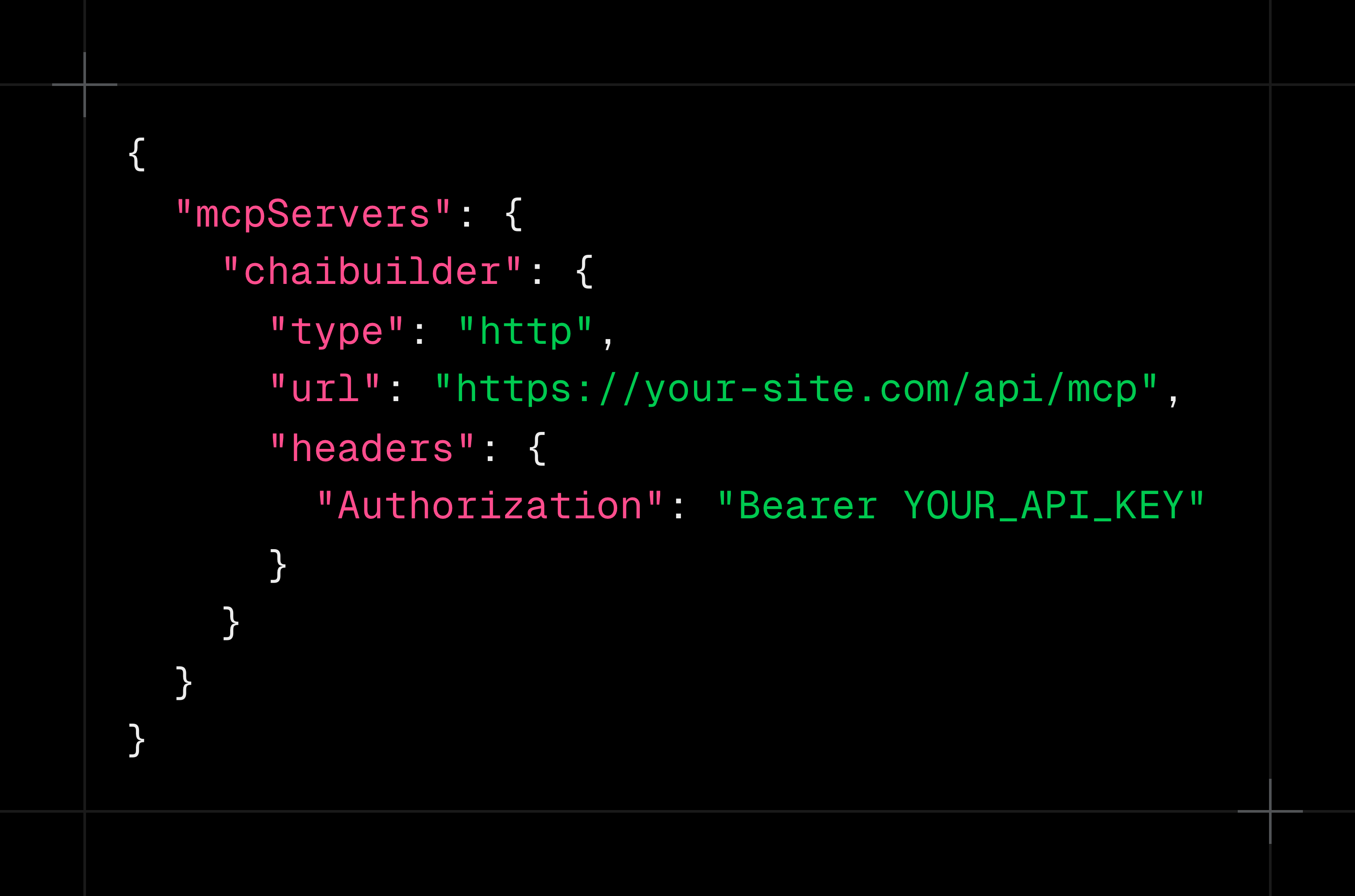
Connect Claude, Cursor, VS Code or any MCP client to your own site. Your agent finds, edits, translates and publishes pages as you, with your permissions, drafts first, while your team keeps working visually. No hosted service in between.
For platforms and agencies running many sites. Building one or two? The open-source core is free.

Things people ask their agent to do on a ChaiBuilder site.
“Rewrite the hero on /pricing to lead with the annual discount.”
“Translate the About page into German.”
“Find every page with a missing meta description and fix it.”
“Create a landing page for the spring campaign from this brief.”
“We renamed /blog to /journal. Set up the redirects.”
“What changed on the homepage since Tuesday? Put back the old version.”
The model runs in your own AI tool, on the subscription you already pay for. ChaiBuilder charges no AI credits and no per-agent fees for MCP, and it is included in every license.
New projects come with the MCP server switched on. On a project created before that, a developer turns it on once: add the MCP SDK, turn on API keys for users, register the MCP plugin and add one route file.
In their own user record. The key is their identity: the agent can do what they can do, and nothing more.
Paste your site's MCP address and your key into Claude, Cursor or VS Code. Ask it to list your pages to check the connection.
The agent acts as the person whose key it holds. Every tool needs the same permission as the matching builder action, and tools that person cannot use are never shown to the agent.
Driving an agent is its own permission. Someone can edit in the builder and still not be allowed to connect an agent. Viewers can't connect by default.
Content, SEO and translation edits land in the draft with a preview link, and the agent is told to ask before it publishes. The few changes that go live immediately, such as a slug change or a redirect, are flagged to the agent as live.
Revisions record which changes came from an agent, and restore can bring back exactly what you want.
Every tool call can be logged in your own app: which tool, who, which page, how long, and the outcome, with secrets redacted.
The endpoint only accepts API keys, never cookies, and never returns internal error details to the caller.
When an agent starts working on a page, the builder shows that page as being edited by AI, with its last activity and last action, and opens it read only until the agent is done. Nobody loses work to an agent they did not know was there.
It works the other way too. If someone already has a page open in the builder, the agent's write is refused and it tells you the page is busy. It never names who holds the page.
Your agent connects to the vendor's cloud, under the vendor's terms, to edit content the vendor stores.
Your agent connects to an endpoint on your own deployment, to edit content in your own database, under the permissions you set.
Same builder, same data, same rules, whether a person or an agent is making the change. More on Own your data.
The MCP server is not a fixed list. Register your own tools and agent instructions from a plugin, next to your custom blocks and actions, and they get the same permission checks, audit trail and draft handling as the built-in ones.
Let the agent look up inventory, leads or bookings.
Wrap an action you already have so the agent can call it.
Teach the agent a site-specific job, like building a landing page from a campaign brief.
A chat panel next to the page you're editing, for visual changes by asking. Runs on your own AI provider.
Claude, Cursor or VS Code working across the whole site: any page, SEO, translations, redirects and revisions. The model runs in your client.
See ChaiBuilder running multi-tenant inside your own product, with sites kept current by your team, your members and their agents. Or start with the open-source core.

The website builder for agents and humans. Owned by you. The website module for platforms and agencies that run many sites, self-hosted on Next.js.
© ChaiBuilder. All rights reserved.