Can ChaiBuilder Integrate with My Existing Software or Platform?
Published on Oct 11, 2026
Short answer: yes, and it is usually less work than people expect.
The reason is structural. Most website builders are a service you call: your content lives on their servers, and integrating means syncing data into their system through their API, within their limits. ChaiBuilder works the other way around. It is a package that runs inside a Next.js app you own, on a database you own. There is no vendor API in the request path. So integrating ChaiBuilder with your product is not a connector problem. It is ordinary code in your own codebase.
This post walks through the questions we hear most from teams with an existing product, what plugs in where, and the limits worth knowing before you plan.
We will use one running example: an online ordering platform for restaurants. Every restaurant already has its menu, locations and opening hours in the platform. Every restaurant also wants a website.
First, the shape of a ChaiBuilder deployment
Everything below follows from this picture:
- One Next.js app serves the public site and hosts the visual builder.
- One database, SQLite or Postgres, holds ChaiBuilder's own tables for pages, settings and assets. It can live next to your existing tables.
- Pages are stored as JSON and rendered at runtime. Editors publish and the change is live, with no build and no redeploy.
- The builder in the browser holds no credentials. Every read and write goes through one server endpoint, as a named action that is checked against the current user's permissions.
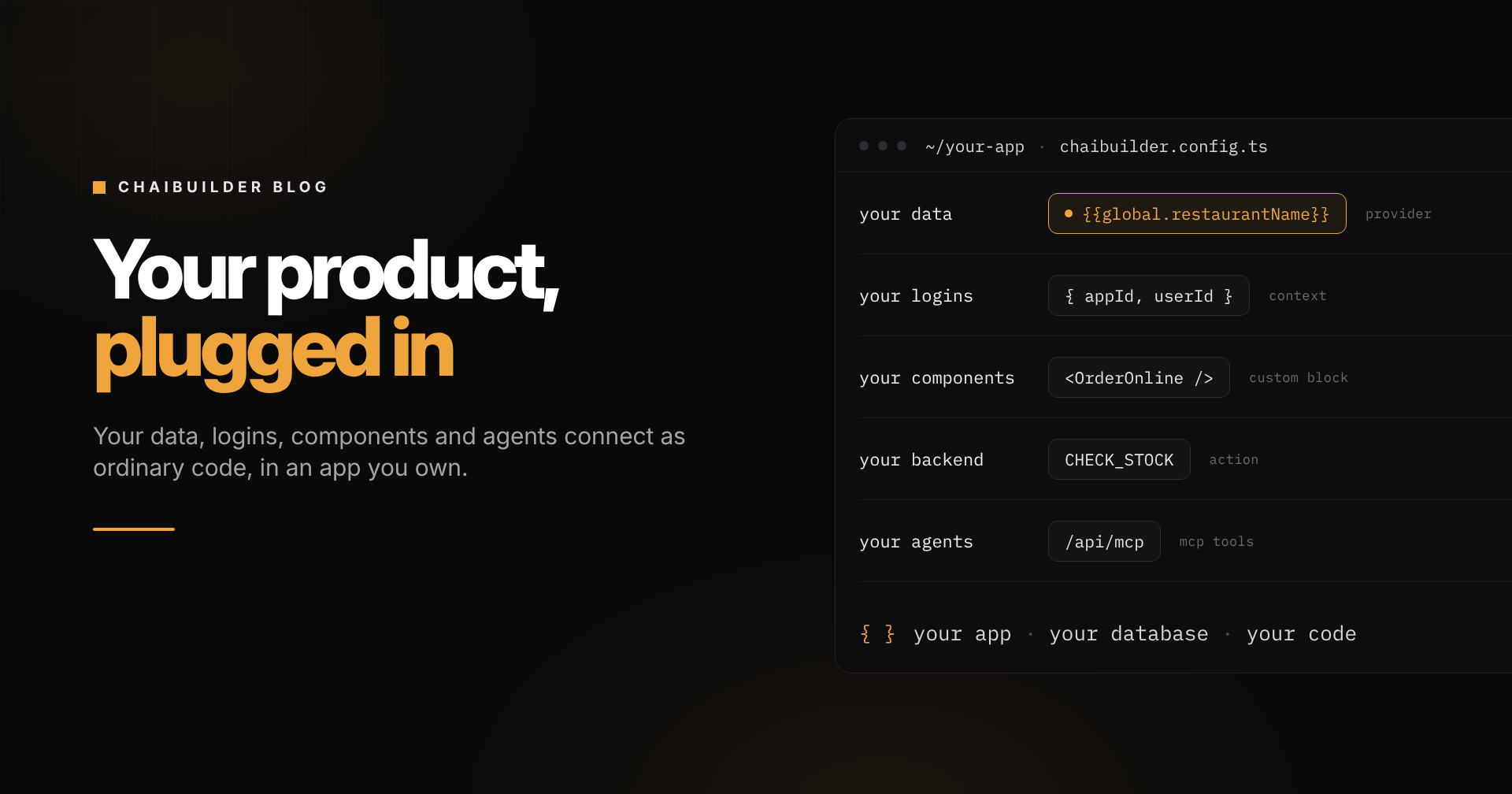
Because the whole thing is your app, every integration point is something your developers already know how to write: a server function, a React component, a route.
"Can it show data that already lives in my product?"
Yes. This is the integration that matters most, and it is the one a hosted builder struggles with.
Blocks never fetch data themselves. Data providers do, on the server, and blocks read the result through bindings like {{global.restaurantName}} or {{menuItem.price}}. A provider is a function you write, so it can query your own database, call your internal API, or read anything else reachable from your server.
There are three kinds:
- Global for site-wide values: the restaurant's name, address, phone number and social links, available on every page.
- Page type for one layout, many records: design a menu item page once and every dish gets its own URL.
- Block for data that belongs to one block wherever it is placed: a live "open now" badge or a list of today's specials.
Repeater blocks list records and conditional visibility shows or hides blocks based on them, so a "Delivery available" section appears only for restaurants that deliver.
Bindings resolve on the server before render, so a page bound to your data is still a static, cached page. See Data Providers and Data Binding.
"What happens when that data changes?"
Your platform tells the site, and only the affected pages rebuild.
A provider returns cache tags for the records it read. When a record changes in your system, a sync job or webhook fires that tag at the site's revalidation endpoint:
curl -X POST https://www.example.com/api/revalidate \
  -H "Content-Type: application/json" \
  -H "x-webhook-secret: $CHAIBUILDER_WEBHOOK_SECRET" \
  -d '{"tags": ["menu-site_123-item_42"]}'
Change one dish and only the pages that showed that dish regenerate. Run a bulk import and fire a broader tag to rebuild them all. If the change happens inside your own server code, you can call revalidateTag directly instead. See Caching and Revalidation.
"Can my users log in with their existing accounts?"
Yes. Auth is your choice.
The starter ships with Payload handling logins, and on that setup one line derives the whole request context. If your product already has its own auth, you resolve the context yourself: tell ChaiBuilder which site, which user, which permissions, whether this is a draft render, and the site URL. The builder, the action endpoint and the MCP server all run on whatever your resolver returns.
On top of that, roles decide what each person may change. A restaurant's staff can update copy and photos without being able to touch the brand theme or publish. Builder access comes from a user's membership in a site, not from being logged in, so staff at one restaurant cannot open another restaurant's site in the builder. See Configuration for the context contract.
"Can I use my own components?"
Yes. Custom blocks are React components plus a config that tells the builder which props an editor may change.
Your developers might build an "Order online" block that talks to your ordering engine, or a menu card that reads live prices. Once registered, it appears in every site's builder. Editors place it, style it with their theme and fill in their own text. Blocks can be limited to certain page types, so a dish card only shows up where it makes sense.
Because pages render at runtime from their JSON, fixing a bug in that block and deploying once fixes it on every site. See Custom Blocks.
"Can the builder call my backend?"
Yes, in a few ways depending on the size of the job:
- A custom action exposes one server operation to the builder, validated and permission-checked like the built-in ones. For example, a lookup that checks whether a dish is in stock.
- A plugin adds a whole feature: its own table, its own permission keys, its own sidebar panel in the builder. Every Pro feature, from redirects to revisions, is built this way, and yours registers the same way.
- Request middleware runs while a public request is being resolved, so your own system can decide redirects, for example sending an old campaign URL to a new menu page.
- Lifecycle hooks let your code react when a page claims a path or a slug changes, so your systems stay in step with the site.
import { ChaiBaseAction } from 'chaipro/nextjs/server'
import { z } from 'zod'

export class CheckStockAction extends ChaiBaseAction {
  protected getValidationSchema() {
    return z.object({ itemId: z.string() })
  }
  async execute(data: { itemId: string }) {
    const { appId } = this.context!
    return fetchStock(appId, data.itemId) // your own service
  }
}
See API and Developing Plugins.
"We already have a CMS. Do we have to switch?"
No. Payload CMS ships in the starter for structured content such as blog posts and legal pages, but the builder does not depend on it.
What the builder depends on are two contracts: page types and collections, each backed by a provider function you write. Point them at your existing CMS, a headless API or files in a repository, and the builder does not know the difference.
What you give up by leaving Payload out is the wiring the starter gives you for free: the CMS admin screens, collections scoped per site, and automatic revalidation when a record is saved. See Pages vs CMS.
"Can AI agents work with it?"
Yes. ChaiBuilder has a built-in MCP server at /api/mcp on your own site. Claude, Cursor or any MCP client can read pages, edit them, fix SEO and translate content, acting as a specific user with that user's permissions. Edits land as drafts, and the agent asks before publishing.
You can extend it too. Register your own MCP tools so an agent can look up your data while it works, for example "build a page for this week's specials" with the agent reading the specials from your system rather than being told them. See MCP Server Setup and MCP Custom Tools.
The in-builder AI assistant uses your own AI provider and your own key, so prompts go to the provider you chose, not through us. See AI Setup.
"Will it fit our infrastructure?"
Most likely:
- Database: SQLite (local or libSQL / Turso) or Postgres.
- Media: S3, R2 or another object storage provider.
- Hosting: anywhere Next.js with incremental static regeneration runs, including Vercel, Netlify, Cloudflare and your own Node server.
- Data stays with you. Pages, users and media live in your database and storage. See Data and Infrastructure Ownership.
"Our product is not built on Next.js. Does that rule it out?"
No. There are two common shapes.
If your product is already a Next.js app, ChaiBuilder can live inside it. That is the most integrated option: same codebase, same deployment, same session.
If your product runs on another stack, ChaiBuilder runs as its own Next.js app next to it, for example on a subdomain, with its providers reading from your API. Your product stays exactly as it is, and the website module talks to it the same way any other service would. The editor itself is a plain React component with no server of its own, which is what makes the deeper embed possible when you want it later.
Where the limits are
Worth knowing before you plan:
- Payload is the only ready-made integration. There are no prebuilt connectors for third-party tools. Every other integration is code: usually a provider, a block or an action, and usually small.
- Two databases. ChaiBuilder's own tables run on SQLite or Postgres only. Your product's data can live anywhere your providers can reach.
- Pages are cached and shared, not per visitor. Providers run once per render and the result is served to everyone, so logged-in state, cookies and geolocation do not belong in them. Personalized sections need client-side code or a route of your own.
- Providers read, they do not write. Changes go through actions.
- Next.js is the host. The site needs a runtime that supports Next.js with incremental static regeneration.
The takeaway
Integrating a website builder with your product is hard when the builder is somebody else's platform. With ChaiBuilder, it is your app, your database and your code, so the question becomes "which of these extension points do we need", not "will the vendor let us".
For most teams the first integration is a global provider for site-wide data, one or two page types for records, and a handful of custom blocks for the things only your product does.
If you want to talk through your own stack, book a demo and we will walk through where each piece plugs in. If you would rather read the engine first, start with open source.